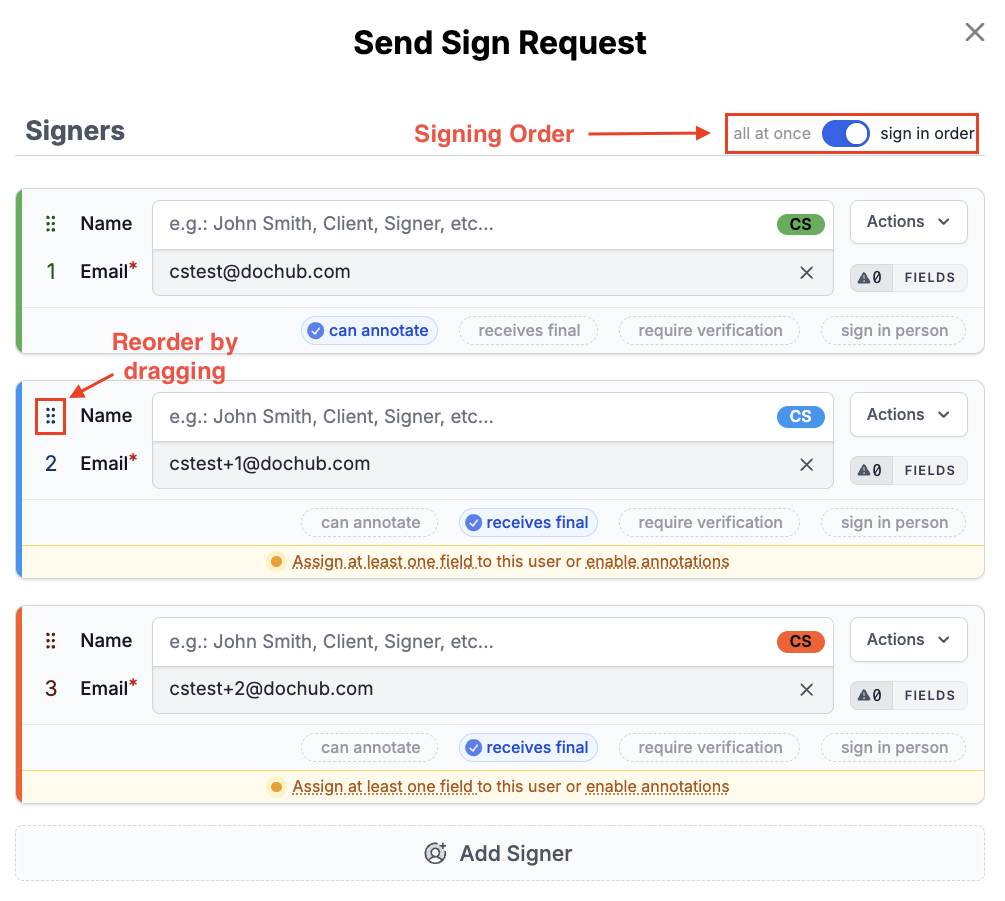
When sending a sign request, there is a "Signing Order" option.
You can select "All at once" or "One at a time", as seen in the send sign request figure above.
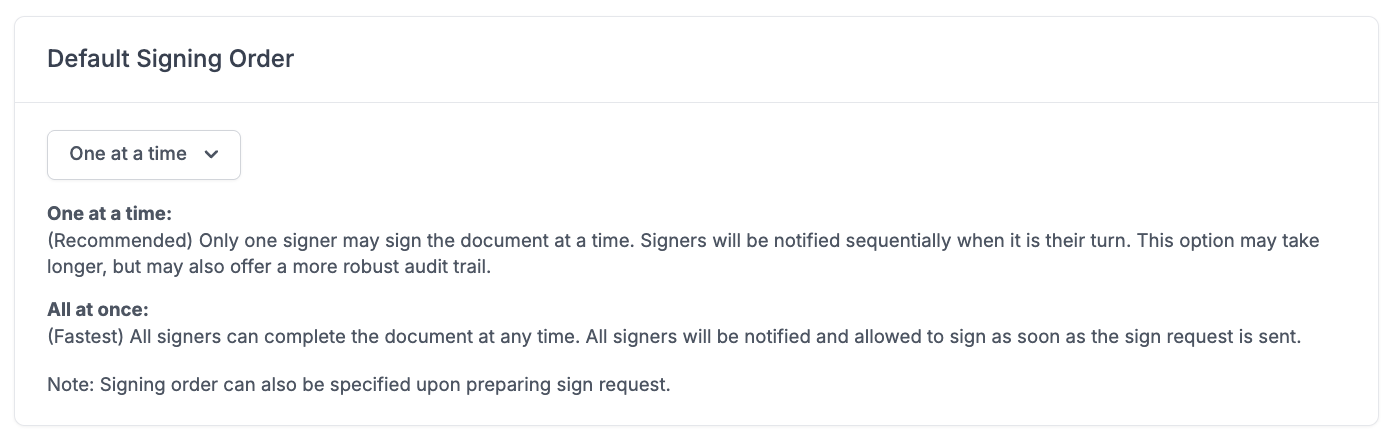
One at a time (Default):
Only one signer may sign the document at a time. Signers will be notified sequentially when it is their turn. This option may take longer, but it may also offer a more robust audit trail.
All at once:
All signers can complete the document at any time. All signers will be notified and allowed to sign as soon as the sign request is sent.
The order of signers is designated by the number and position of the signers as they are listed in the request. This order can be changed by dragging signers up or down in the list using the 'signer order handler' as shown in the image above.
You can set the Signing Order Default for all new Sign Requests in your Sign Request Settings at https://dochub.com/settings/sign-requests.
It's not possible to edit this setting after a Sign Request is sent, so if you need to change it after sending, you would need to make a copy of it and send it as a new Sign Request. See this article for more information: Editing a Sign Request after it's been sent