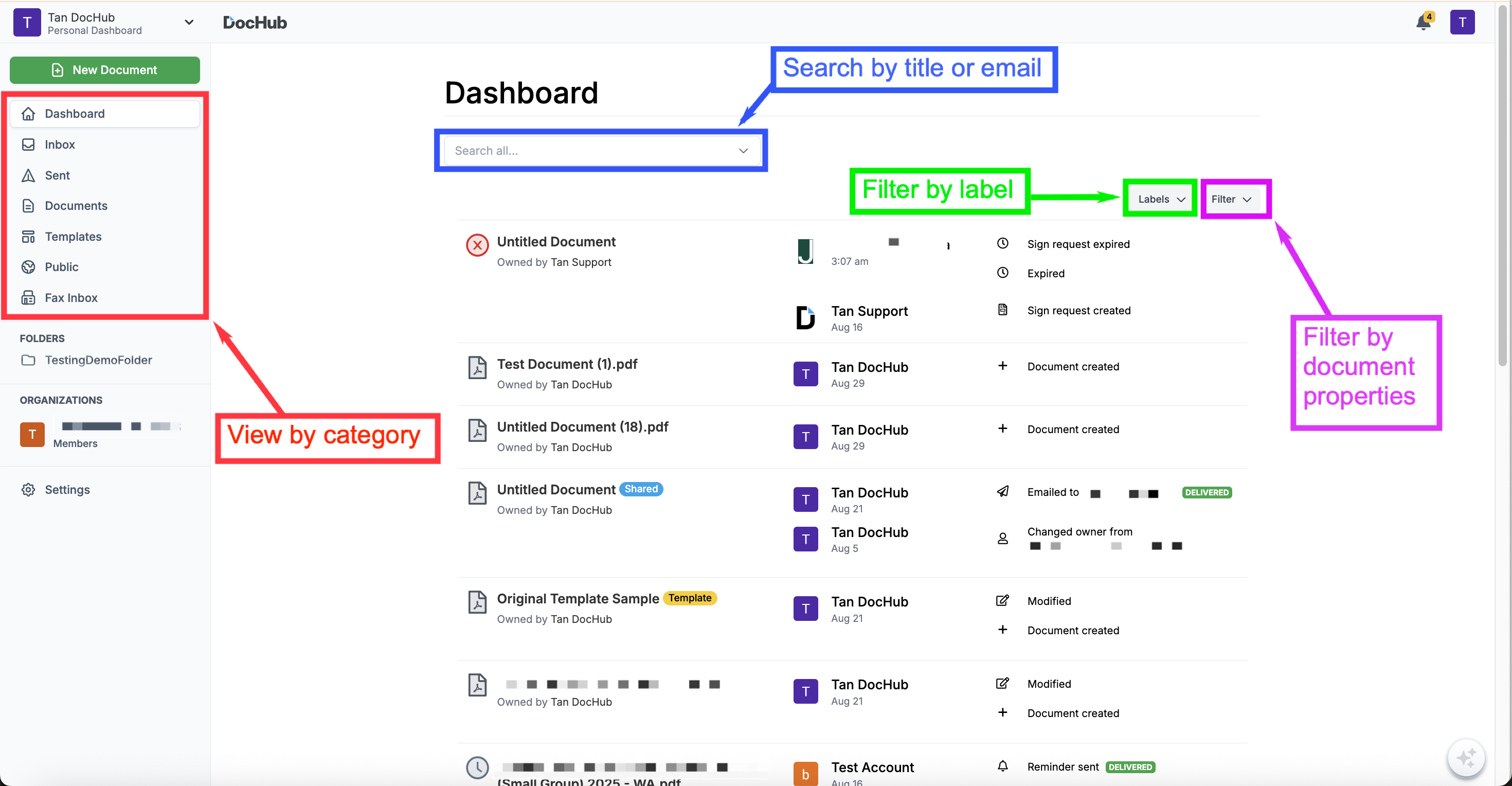
Your Dashboard can be easily searched and filtered for when you'd like to view a smaller list of documents that meet certain criteria. You can narrow down the list using these search & filter methods:
View by Category
Use the sections on the left side to view a default category of documents.Filter by Document Properties
Lists documents according to its properties such as Shared, Owner, Privacy and ExpiresFilter by Label
Lists documents with a particular Label.Search by Document Title
Lists documents that include a string of text in the Title (name).Search by Email
Lists documents that have been shared with a particular email.
View by Category
The default view of your Dashboard is chronological and lists of all documents in your DocHub account. The other sections on the left side will group your documents by category and includes the following views:
Inbox
Documents you've been invited to fill out and sign or ones you've added yourself as a signer or copies of templates you've filled. You'll see a badge count number in orange for documents requiring your attention (the ones with Status: In Progress (my turn)).Sent
Documents you've sent for signature & filled copies of your public templates.Documents
Regular, single-use documents you've created.Templates
Templates you've created with links to view copies of each template.Fax Inbox
Documents you've received via your DocHub Fax Line number.
Filter by Document Properties
All sections of your Dashboard include a Filter menu in the upper right of your list of documents which can be used to filter the list according to document properties (listed below).
Owner
Me
Others
Privacy
Private
Public
Has Share Link
Expires
Will Expire
Shared
Not Shared
Shared with Me
Shared with Others
Note: Each Dashboard section will vary on which properties are listed in the Filter menu since some properties don't apply to some of the default views/categories.
Filter by Label
Use the Labels menu to filter the view to only list documents with a particular label. Just select a label from the menu.
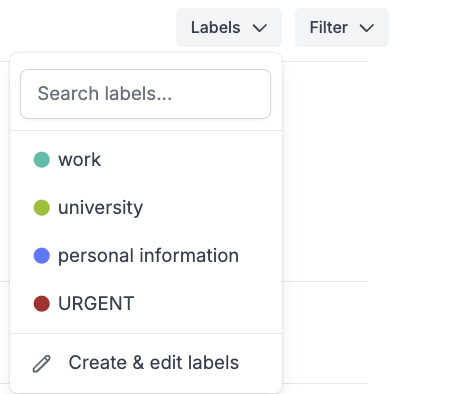
You can create & edit labels from the Labels menu above the list of documents or by going to https://dochub.com/settings/labels.
To attach a label, select a document in your Dashboard and click on the Label menu at the top and select one.
Search by Document Title
Enter text into the Search field at the top of your Dashboard to only list documents with a Title that matches your search terms.
Use the Filter or Labels menu to narrow the search results even further.
Search by Email
Enter any email address into the Search field at the top of your Dashboard to view documents you've shared with a particular person.